Switch from Calendly to Vonza: a Calendly alternative where a booked call becomes a paying client
Verdict: stay with Calendly if scheduling is all you need, with its free plan for one event type or $12 per seat a month on Standard and $20 on Teams. Pick Vonza if you want the booking, the follow-up and the payment in one account. Calendly schedules meetings extremely well. Vonza’s scheduling sits next to courses, community, email, SMS, funnels, invoicing and a CRM, and the new Vonza Scheduling adds round robin, collective meetings, meeting polls, routing forms and 137 booking-page templates, with Calendly’s prices read from its own page on 2026-11-14.
Last reviewed by Uyi Abraham, Founder and CEO, Vonza
Calendly vs Vonza at a glance
Prices read from calendly.com on 2026-11-14; check the vendor’s page for current pricing.
On the figures above, Vonza’s lowest monthly price is higher than Calendly’s lowest listed monthly plan.
Source: calendly.com, read on 2026-11-14; a copy of the page as read that day is kept so the figures can be checked. Platform transaction fee not stated on the page. Teams was $20 a seat ($16 on annual billing), Standard Plus $18 a seat on annual billing and Teams Plus $32 ($24 on annual billing). Vonza’s figures are its own pricing page’s, live.
What each platform includes
From Calendly’s pricing page as read on 2026-11-14. “Not stated” means the page did not mention it, not that Calendly lacks it.
| Capability | Vonza | Calendly |
|---|---|---|
| Online courses | Included | Not stated |
| Community | Included | Not stated |
| Memberships | Included | Not stated |
| Email marketing | Included | Not stated |
| SMS marketing | Included | Not stated |
| Website builder | Included | Not stated |
| Landing pages | Included | Not stated |
| Sales funnels | Yes, the new Vonza Funnels: pages written by Vonza AI, order bumps, one-click upsells and split tests | Not stated |
| Appointment scheduling | Included | Yes, one event type and one calendar on the free plan; round robin, routing and team scheduling on Teams |
| Invoicing | Included | Yes, invoices for project-based work on paid plans |
| CRM | Included | Not stated |
| Online store | Yes, seven kinds of product, with variants and shipping profiles | Not stated |
| Checkout and upsells | Yes, checkout pages with up to 5 order bumps, a one-click offer after payment, payment plans and coupons | Not stated |
| Forms | Yes, an AI form builder, 61 templates, conditional logic, scored quizzes and payments; every respondent who leaves an email becomes a CRM contact | Not stated |
| Affiliate program | Included | Not stated |
| Free migration | Included | Not stated |
Why creators switch from Calendly to Vonza
Grounded in what each platform’s own pages list, not in opinion.
One platform instead of a stack
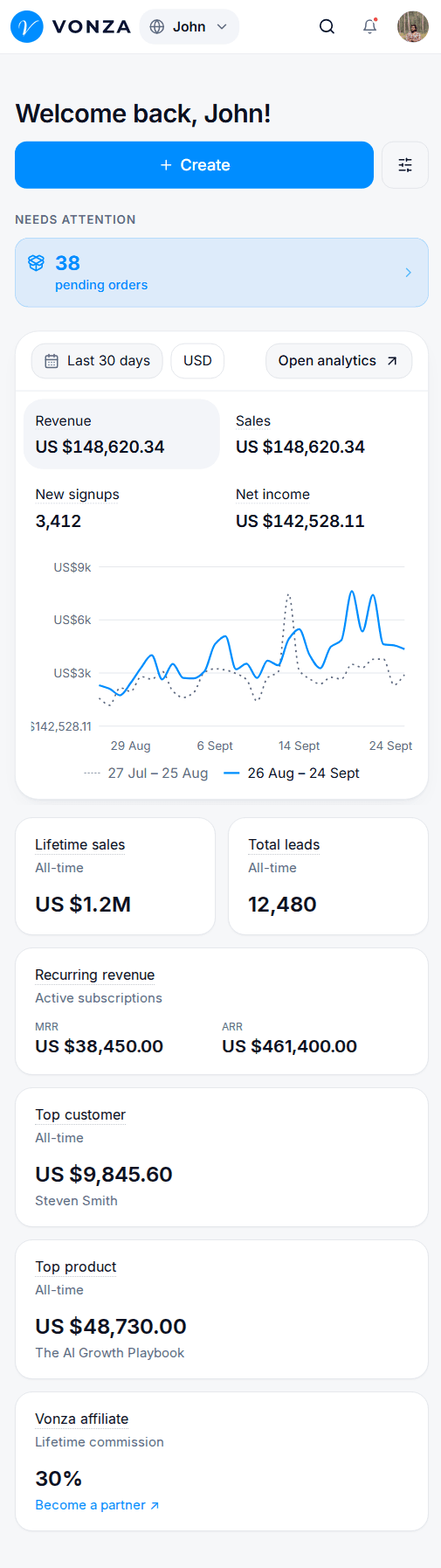
Calendly schedules meetings. Vonza’s scheduling sits next to courses, community, email, SMS, funnels, invoicing and a CRM, so a booked call can become a paid client without leaving the account: the booking page sits beside the checkout, the course and the community it leads to.
Appointment scheduling included
The new Vonza Scheduling, which you switch on from the Scheduling row marked New in your dashboard, has six meeting types (one-on-one, group, round robin, collective, one-off links and meeting polls), routing forms that send each person to the right meeting, 137 booking-page templates in 15 categories, Vonza AI to draft a meeting from one line, Google, Outlook and iCloud calendars for busy times, nine price kinds including deposits and session packs, and approval and series bookings.
A CRM for your contacts
Calendly’s pricing page lists CRM integrations, not a CRM. Vonza has one with pipelines, every booker becomes a contact, and HubSpot and Mailchimp connect natively in the new Scheduling.
SMS marketing built in
Calendly’s pricing page lists automations and reminders, and its appointments page reminder emails and texts, but no SMS marketing. Vonza sends booking reminders by text from your SMS marketing allowance and runs SMS campaigns from the same contact list.
When to stay with Calendly
When Calendly is the better fit, and what its pricing page leaves out.
Stay with Calendly if
Scheduling is all you need and Calendly’s free plan, with one event type and one calendar connection, covers it.
Stay with Calendly if
Your calendar must feed Salesforce, Marketo, Pardot or Microsoft Dynamics through Calendly’s own integrations, which Vonza does not have.
Stay with Calendly if
You pay per seat for a team and want a low per-seat price for scheduling alone, from $12 a seat on Standard and $20 on Teams.
Not listed on Calendly’s pricing page
- Online courses
- Community
- Memberships
- Email marketing
Move from Calendly to Vonza for free
Tell support what you are bringing from Calendly: on an eligible annual plan (step 1 below) your courses, communities and calendar move free, and anything else can be moved for a fee.
Step 01
Choose Your Plan
Sign up for an Annual Pro or Business plan to get started.
Step 02
Request Migration
Contact Vonza Support and tell us what you want migrated.
Step 03
We Handle Everything
Our team manages your migration and keeps you updated.
What you add when you switch from Calendly
None of these is on Calendly’s pricing page; on Vonza they sit in the same account as your courses and community.
- Courses and a community to sell after the first call
- A CRM where every booker becomes a contact
- Email and SMS follow-up from the same account
- Checkout pages for packages sold before the booking
Every plan starts with a 14-day free trial.
Start Free TrialCalendly vs Vonza: your questions
Answered from the pages we read, with the date we read them.
Not for scheduling alone. Calendly’s Standard plan was $12 a seat a month billed monthly ($10 a seat on annual billing) and Teams $20 a seat ($16 on annual billing) when we read its pricing page on 2026-11-14, and its Free plan allows one event type and one calendar connection. Vonza’s lowest plan costs more per month, but scheduling is one tool among courses, community, email, SMS, funnels, invoicing and a CRM; the live figure is in the table above.
Calendly’s pricing page does not state a transaction fee; it lists payments at booking through Stripe and PayPal and invoices for project-based work on paid plans.
Yes. Switch to Vonza effortlessly. We’ll migrate your courses, communities, and calendar for free with any Annual Pro or Business plan. Your Calendly calendar is one of the three things the team moves for free. Event types become meeting types in the new Vonza Scheduling, which you switch on from your dashboard, and you share the new booking link in place of the old one.
Its pricing page lists connections to HubSpot, Mailchimp, Salesforce, Marketo and Dynamics, not a CRM or email marketing of its own. Vonza includes a CRM, email and SMS on every plan, and every booker becomes a contact.
Calendly’s page lists an “Always free” plan with one event type and one calendar connection, and payments at booking only on paid plans. On the pages we read on 2026-11-14, the free tiers of other scheduling tools were capped too: YouCanBookMe at 30 bookings a month, SimplyBook.me at 50 bookings a month, Appointlet at 25 meetings a month, Setmore at 4 users and Picktime at 3 team members. Cal.com, TidyCal, YouCanBookMe, Setmore and Picktime take payments on their free plans; Calendly, Koalendar, Appointlet and Doodle do not. Vonza has no permanent free plan; scheduling is included in every plan, and every plan starts with a 14-day free trial.
See for yourself before you leave Calendly
Every plan starts with a 14-day free trial. Keep Calendly running while you look around.