Let Partners Sell for You
Let your friends, family, peers and partners promote your product while Vonza handles the rest. Affiliate marketing is included on every plan.
Your affiliate program, simplified
Set the rules once, recruit the people who already love what you sell, and let the platform track every sale.
Set the rules
A default commission as a percentage of sale or a fixed amount, a cookie duration in days, and first- or last-cookie attribution.
Recruit and approve
Invite with a link, a signup link or an onboarding form, with instant approval for everyone or a manual review per affiliate.
Per-product commissions
Override the default for one product, or for one affiliate, from the product’s Settings tab.
Everything your affiliates need
A portal for them, a dashboard for you, on every product you sell through Vonza.
Affiliate links & QR codes
Each affiliate copies their link per product and generates a QR code.
UTM builder
A UTM link for each social media platform, built inside the portal.
Banners & social cards
Download a banner, or copy a banner or social card URL to share.
Email templates
Ready-made emails affiliates can send to their own list.
Clicks, conversions, rate
Clicks, conversions, conversion rate, gross sales and earnings over 7 or 30 days.
Recurring commissions
Subscriptions and memberships keep paying the affiliate who referred them.
Works across your products
Courses, products, funnels, forms, communities, scheduling and checkouts.
Approve or block
Approve each affiliate, or block one, from the Active and All Affiliates lists.
Pay out without the spreadsheets
Affiliates pick Stripe, PayPal or a manual payout. You set the minimum payout threshold and the processing mode, approve or reject each commission, and refunds are deducted from what is owed.
- Stripe Connect, PayPal or a manual payout you process
- Minimum payout threshold and approve/reject per commission
- Paid, unpaid, refunded and net commission in one view
Set up your affiliate program
Three steps from Settings to the first affiliate sale.
- STEP 01
Configure affiliate settings
From your dashboard, click Settings, then Affiliates. Set the default commission, global cookie duration, attribution logic, payout settings, product promotion permissions and terms.
- STEP 02
Invite affiliates
Share the invitation link or the signup link, or send people to the onboarding form. Approve each affiliate, or switch on instant approval.
- STEP 03
Share links, track sales
Affiliates copy their link, generate a QR code or build a UTM link per platform; you view the sales stats for each product.
Questions about your affiliate program
Get answers to common questions here
Yes. Set a default commission in Settings → Affiliates as a percentage of sale or a fixed amount, then override it for a product from that product’s Settings tab, or for an individual affiliate. The most specific value wins: affiliate, then product, then the global default.
You choose a global cookie duration in days and the attribution logic. First-Cookie Wins gives the commission to the first affiliate who referred the buyer; Last-Cookie Wins gives it to the most recent one.
Affiliates pick Stripe, PayPal or a manual payout that you process yourself. You set the minimum payout threshold and the payment processing mode, approve or reject each commission, and refunded sales are deducted from what is still owed.
Their own portal: an overview, products with a copyable affiliate link, a QR code and a UTM builder, their transactions, banners and social cards to download or copy, email templates, and stats for clicks, conversions, conversion rate and earnings over the last 7 or 30 days.
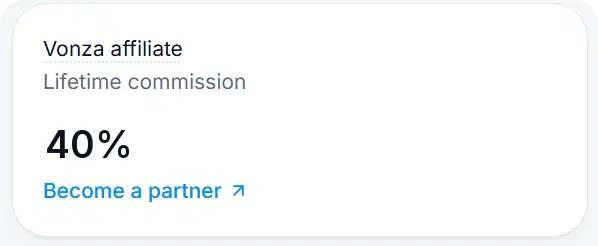
No. This page is about the affiliate program you run for your own products inside your Vonza platform. Vonza’s own partner program, for people who refer new Vonza customers, is a separate program with its own terms.
This Is Where Your Business Finally Comes Together
One login. One system. One clear path to building digital income — without the overwhelm.